
Software
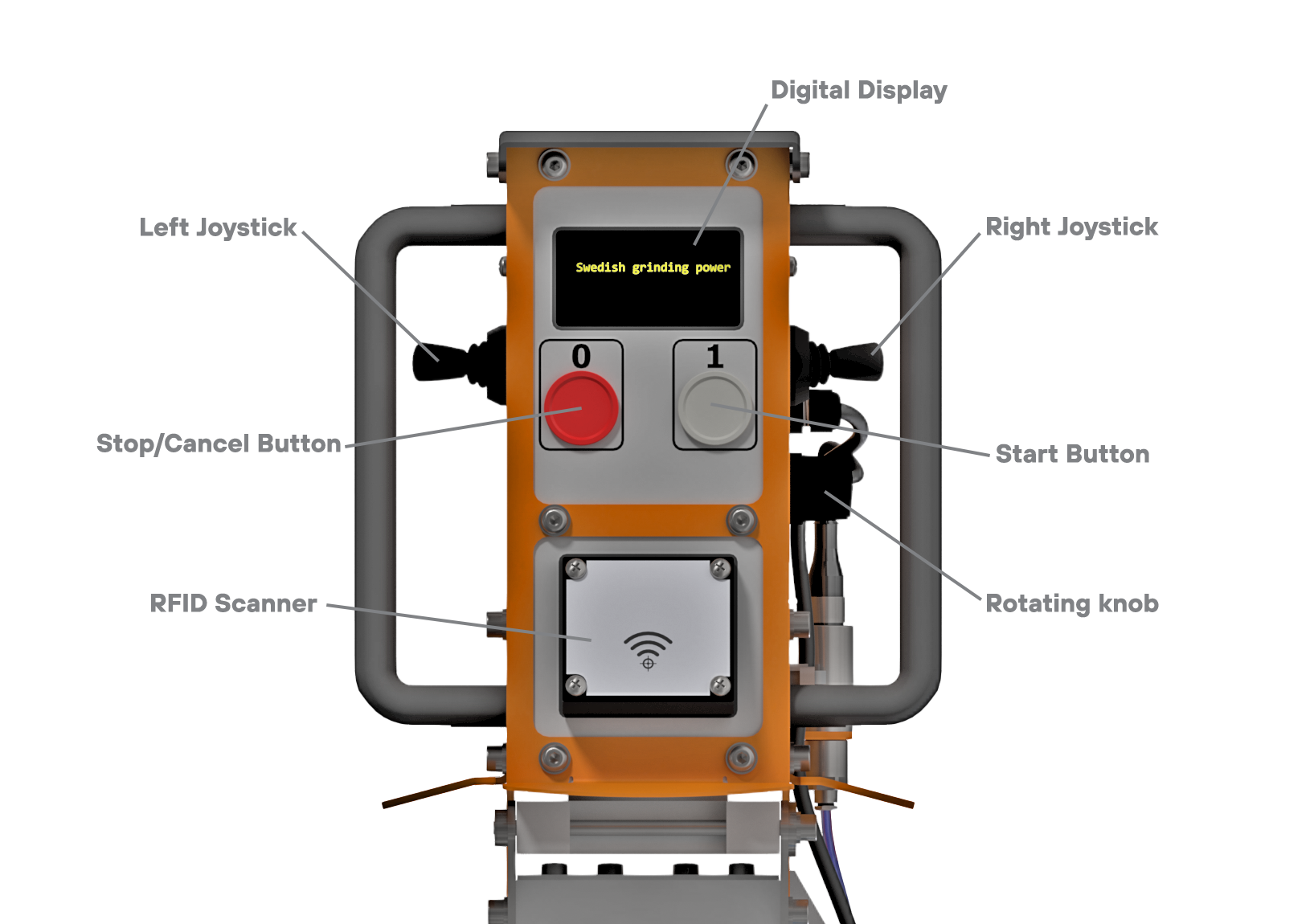
The machine is operated by use of the digital display, two (2) joysticks, rotating knob and start and stop buttons on the control panel.
|
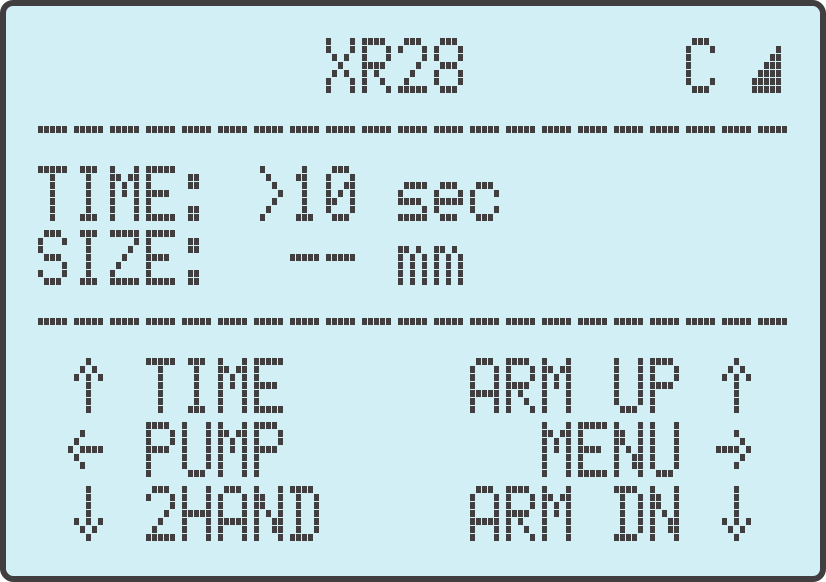
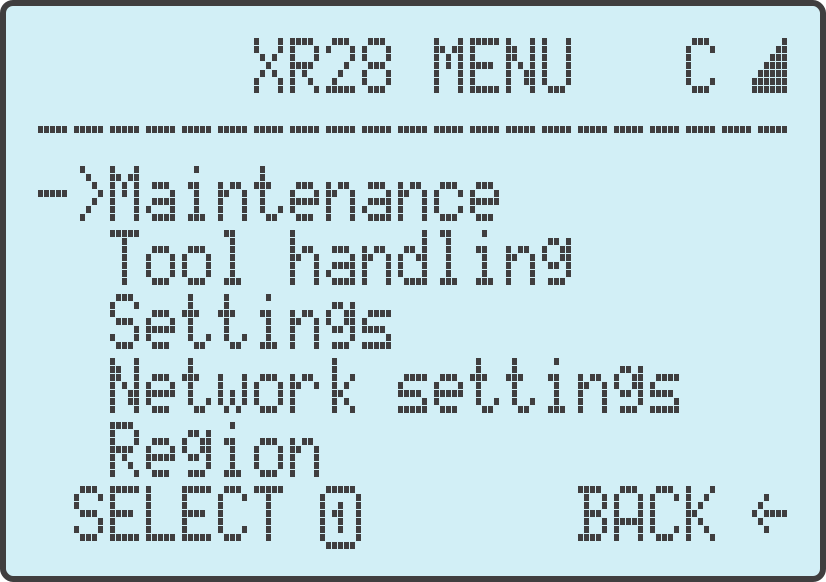
After start up, the machine enters into idle mode. From this menu you can operate the machine and access the further menu functions such as connecting your XR28™ to Wifi and more. |
 |
|
We recommend your machine be connected to a Wifi network at all times. When the machine is connected, the Wifi symbol will appear in the top right hand corner of the display There will also be a letter: either an "I" or a "C" "I" = connected to Wifi "C" = connected to server for synchronisation |
|
|
The sharpening head can be moved up and down by pushing the Right Joystick up or down respectively. The sharpening head can also be moved by gently pulling or pushing the on the handles, although using the right joystick is preferred, and faster. |
|
|
The sharpening time can be adjusted using the rotating knob to the right of the control panel. Using the Left Joystick, you can alternate between 'Normal Time' and 'Extra Time'. The difference between these functions will be explained in greater detail in a later module. |
|
|
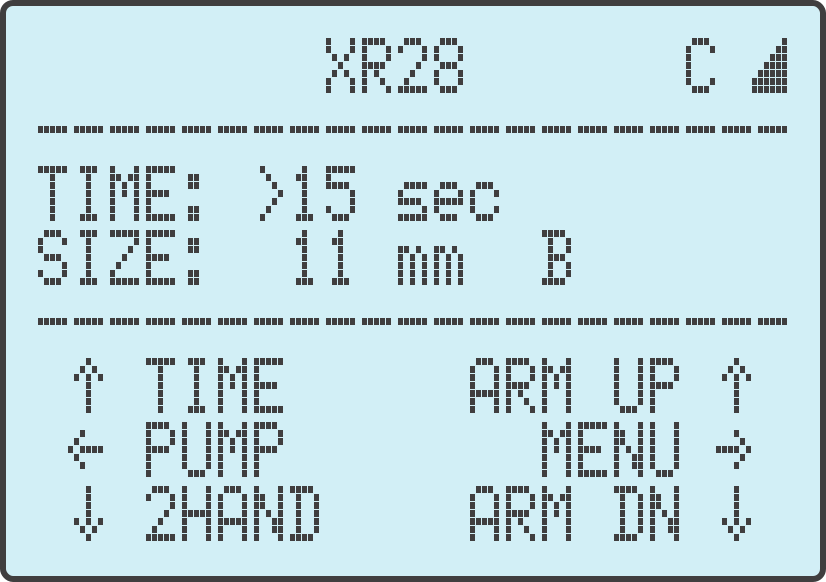
Before loading a sharpening tool (previously known as grinding cup) you will scan the tool on the RFID Scanner. The tool that was scanned will be displayed on the screen and the correct sharpening settings loaded. |
 |
|
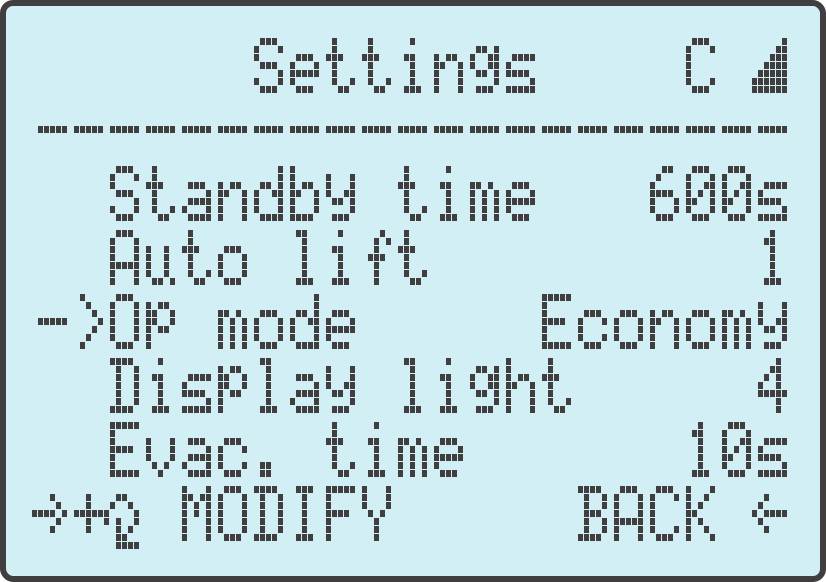
When accessing the machine settings in the menu option, you will be able to switch between 'Economy' and 'Performance' sharpening modes. The difference between these two sharpening modes will be explained in greater detail in a later module. |
 |
|
In the menu options you are able to access Maintenance functions. This will be used to troubleshoot your machine should there be problems. |
 |
Please use the arrows at the top to proceed to the next section.